Thursday, February 17, 2011

Tutorial II - Public Speaking Tips and Presentations


Today we are going to discuss public speaking and presentations!

What is the proverbial joke? The two most things that people are most afraid of are death and public speaking, and the majority of people actually pick public speaking over death.


Candler
I had the pleasure three years ago of being in Las Vegas working on the Electrolux team for our company when they rolled out the high-end Electrolux appliances with Kelly Ripa as the spokeswomen to back them up.  The meeting was very informative and light until towards the end, they mentioned to us that we would now how to go into the field and set up training engagements in front of 100 people plus.  I personally was intimated, as I think the rest of the team was.  Luckily the next presenter for us was Arch Lustberg, a leader in the field of dynamic communications.

Arch Lustberg has a long resume of public speaking trainees from George Bush, Dick Gephart, and Charles Osgood.  Obviously as well as with any good presentation, preparation and familiarity with the material is key, but a few side notes that I felt were very interesting were, the introduction, relatable stories, and the pause.  I was able weave these added components into my presentations, which helped me become more comfortable in front of people, and therefore made me a better and more effective speaker.

Candler
The first area that Arch delved into was the beginning of the presentation.  He noted that a lot of people will turn their powerpoints on and just start hammering away at the nuts and bolts on their agenda.  He said the problem was, that a lot of times, you don’t’ actually capture the audience.  His suggestion was to take the first minute or two and start out with a story, a personal story.  It did not even have to relate to the subject material, but something that was somewhat light and humorous and would draw the audience into emotionally, before delving into the heart of the presentation.  Personally I would start off all of the presentations with a quick story about my two boys watching Star Wars for the first time.  The story was short, humorous, got a quick laugh, put me at ease, as well as the audience.  This helped me tremendously as I was beginning.
Candler

The second area that Arch mentioned was to add emotional interest to bullet points by adding in more personal accounts or stories.  This is not always accessible, but for example, I was training on the new Electrolux appliance line.  When training on certain aspects of say the refrigerator, I would add in a story to highlight a certain feature, or a joke to accentuate another feature.  The stories and jokes were my own, which again helped to keep me at ease, but also made the training more relatable to the audience.  They were able to ‘see’ what I was describing versus just rattling off bullet points on the features.

Candler
The last area that I use on a daily basis, not just on presentations is the ‘pause’.  Just like an artist leaves blank areas to make the areas of color more vivid, or like on the powerpoint, where you don’t want to overpower a slide, the pause accomplishes the same thing.  If you want to make a solid statement about a certain area, then say the bullet point and pause for a second or two.  It will accentuate what you said.  Sometimes this is extremely hard, as most people want to add in the um’s and err’s to fill the verbal space, but this creates noise to the audience.  Speak, pause, accentuate, and move to the next area.

Candler
I will tell you that now having conducted training session up and down the East coast, I thoroughly enjoy the process.  Just like being a rock star, holding an audience captive can be very invigorating.  If you are prepared, practiced, and add in some personal stories to draw them in, and add in the pause now and then to highlight your bullet points, your audience will appreciate you more and remember your presentation better. 

Good Luck!

Friday, February 11, 2011

Excel Project!

Welcome to my Blog Post!

Today we are going to discuss my Excel project that I have been working on in my ISM3004 class at UF.


Enjoy!


Avg of PctIncrease - Pivot Table - Candler
Microsoft's Excel program, a part of the entire Microsoft Office suite, is spreadsheet software that includes calculating and graphic tools, along with Pivot Tables.  While working on this project, I was able to expand on the basics that I learned from my Intro to Computing class over the summer.  Using Excel, I was able to take large amounts of raw data, manipulate it and produce quick scan almost dash-board like results using Pivot Tables.

For my project, I was presented with a large volume of workout data on hundreds of exercise enthusiasts.  Using Excel, I was able to take this copious amounts of raw data and begin to transform it into an answer for the study.  I used various formulas such as MAX and IF to find the results I as looking for.  Once I had the percentages computed through the formulas, I cleaned up the spreadsheet to make it look presentable and professional.  I then set it up to print on legal paper, one sheet wide with two rows frozen at the top, and headers and footers added.  Lastly, I took the raw data and created two Pivot tables to give the quick snap shot of the total date collected.

Full Screen Shot of Pivot Table - Candler
As you can see, Excel is extremely powerful software, that if used right, will allow a used to manipulate large amounts of data very quickly.  It will allow you to print out report, and boil the information down to quick, snap-shot, mini dashboard, known as Pivot tables.  The speed and accuracy of Excel make it an invaluable resource to any business.

Saturday, January 15, 2011

Tutorial I - Storage Drives and a Brief History of the Computer

Candler 
Storage Drives and a Brief History of the Computer!


Welcome back to my Blog!  


Today we are going to discuss hard drives with a brief history of the computer.


It’s hard to imagine that with today’s versatile laptops that can process email,  music, internet, and multiple other functions, that these tiny ‘computers’ used to take up entire warehouses with a much more limited role of functionality.  One of the first all-electronic computers, ENIAC, was built at the University of Pennsylvania in 1943 to help support the war effort.  ENIAC literally took up multiple floors with multiple personnel to work the machine.  For memory storage, it used an IBM card reader for input and card punch for output.


Apple 2 History.org
As time moved forward computers began to shrink in size, while gaining processing speed.  Steve Jobs and Steve Wozniak have been credited with contributing significantly to the personal computer revolution with the creation of the Apple I.  The machine would fit on a desk top and sold for under $600, giving access to the everyday user.  For memory storage, Apple used ordinary cassette tapes, which were eventually superseded by the introduction of the 5 ¼ in floppy disk drive.


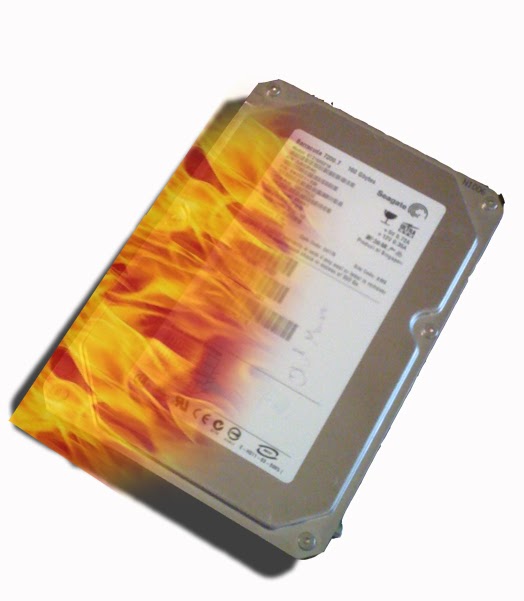
In 1980, Seagate Technology introduced the first hard disk drive for microcomputers, the ST506.  This first hard disk drive was comprised of numerous moving parts.  The platters, where the information is actually stored were spun at up to 3,600 RPM.  The second moving parts were the Read / Write heads that scan back and forth over the platters moving information back and forth. 

Candler
This new Hard Disk drive technology worked extremely well and was welcomed into the marketplace.  As sales grew, so did the storage capacity and speed.  In 1997 Seagate introduced the first 7,200 RPM, Ultra ATA HDD, which progressed to the first 15,000 RPM HDD in 2005.  Storage followed suit, going from 5 megabytes in 1980 to currently over 1 Terabyte of information, which translates to over 1 million megabytes of capacity.

Candler
As popular as Hard Disk Drives have been, they do have their limitations, and these are primarily due to the physical movement of the units.  Motors can go out, excessive heat can damage the rotating platters, platters can get scratched due to excessive vibration, Read / Write heads can fail, along with numerous other examples.  With all of these examples of potential damage to the units, causing data loss, it would make sense to eventually replace the moving Hard Disk Drive with a non movement Solid State Drive.

Candler
SSD technology has actually been around since the 1950’s, but was either not quite as fast or inexpensive as the comparable HDD.  In 1995, M-Systems introduced a line of SSD based on flash-based memory storage.  They were almost as fast as the HDD, did not require battery backup for memory, and were extremely resistant to shock, vibration, and heat. 

You can see just a few of the many advantages of the SSD over the HDD:

  • Spin up time is instantaneous
  • Random Access time is about .1ms versus HDD’s 5-10 ms
  • Read Latency is low due to the lack of mechanical components
  • Consistent read performance does not change, because again no moving parts
  • No need for Defragmentation
  • Acoustic Levels in decibles are low, again no moving parts
  • Power consumption is reduced by almost ½ versus HDD.

As computers and in particular storage developed over the years physical form shrank, prices shrank, and capacity and speed increased exponentially.  SSDs are just one of the newest iterations of the technological advance in the computing environment.
Images Apple 2 History.org and Robert Candler

Saturday, January 8, 2011

Creating an Avatar!


It's much easier then you think to create an Avatar for your Face book, Blog, or Twitter accounts!  Using the meez.com avatar site, I was able to sign-up, create, and screen-shot my new avatar. 

Once at meez.com, I signed up for an account and picked my basic character to use.  From there, I went through body sizing, hair style and color, eye color, etc, to create a unique profile.  I then went back and added in my soccer jersey, visor, jeans, and sandals. 

After I finished creating my character, I saved everything, using few of the 'free' credits that were supplied by the website to purchase some of the specific clothes.  I then went and picked out a background to match.  I play adult soccer for Sunrise Surf shop in Jacksonville Beach, FL, so I went with the soccer theme.

Lastly, I did a screen shot and pasted it into Photoshop.  I then cropped everything, and uploaded my new Avatar here, to my new blog, for you to view and enjoy!

Thanks,

Robert Candler

Welcome

Everyone,

I am just building my first blog spot for my ISM3004 course through UF. 

Thanks,

Robert Candler